Teacher Tools
Teacher Tools is an AI-driven platform designed to transform the way educators communicate, simplifying the creation of emails, newsletters, and announcements for various audiences. This tool empowers teachers to craft clear, engaging, and accessible messages effortlessly.
My Role
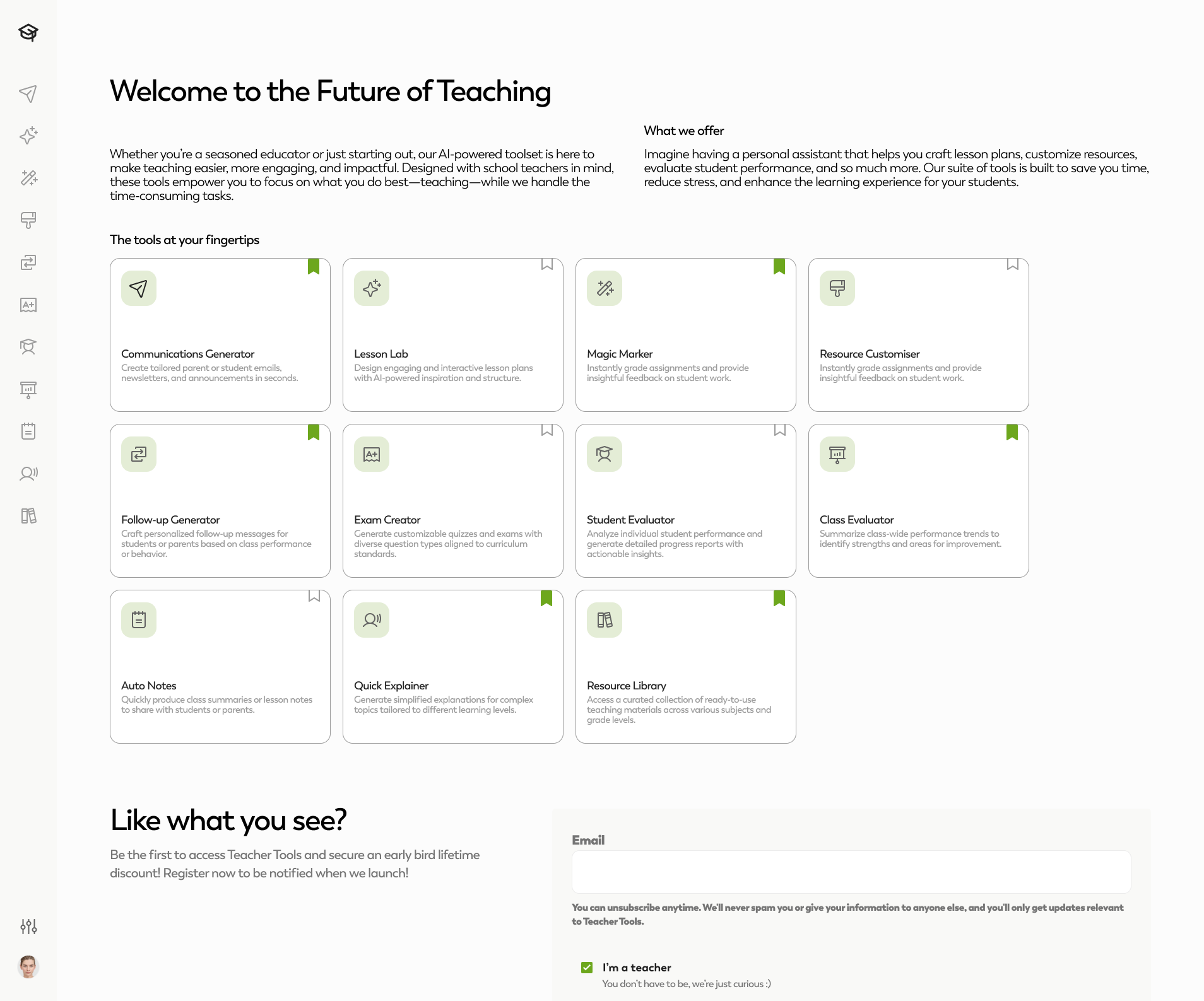
I was tasked with designing the User Interface (UI) for the platform's first version. The result was a user-friendly, intuitive design that organizes tools into a toolbox view. Users can bookmark their favorite tools for quick access, making it easy to tailor their experience to their needs.
Features
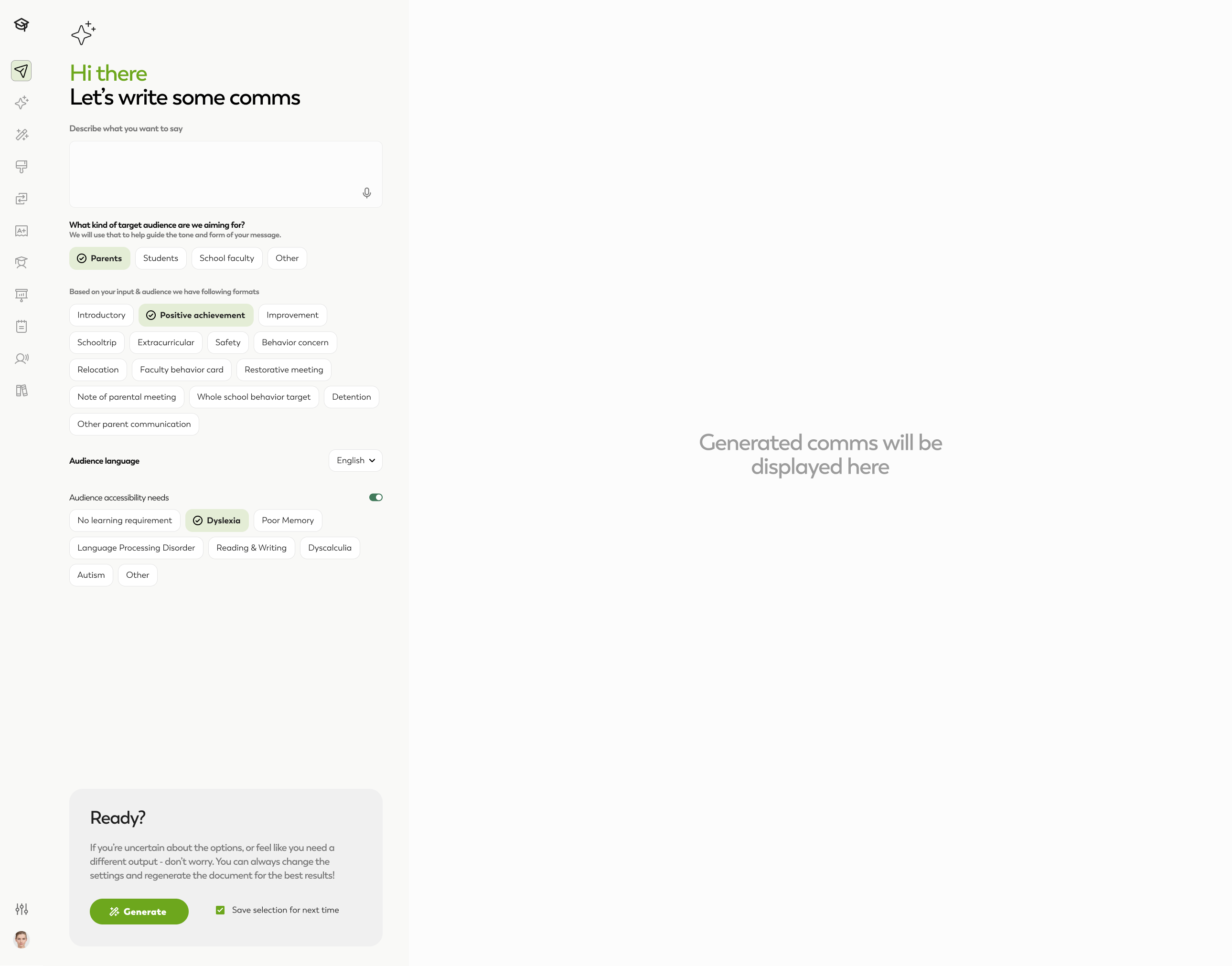
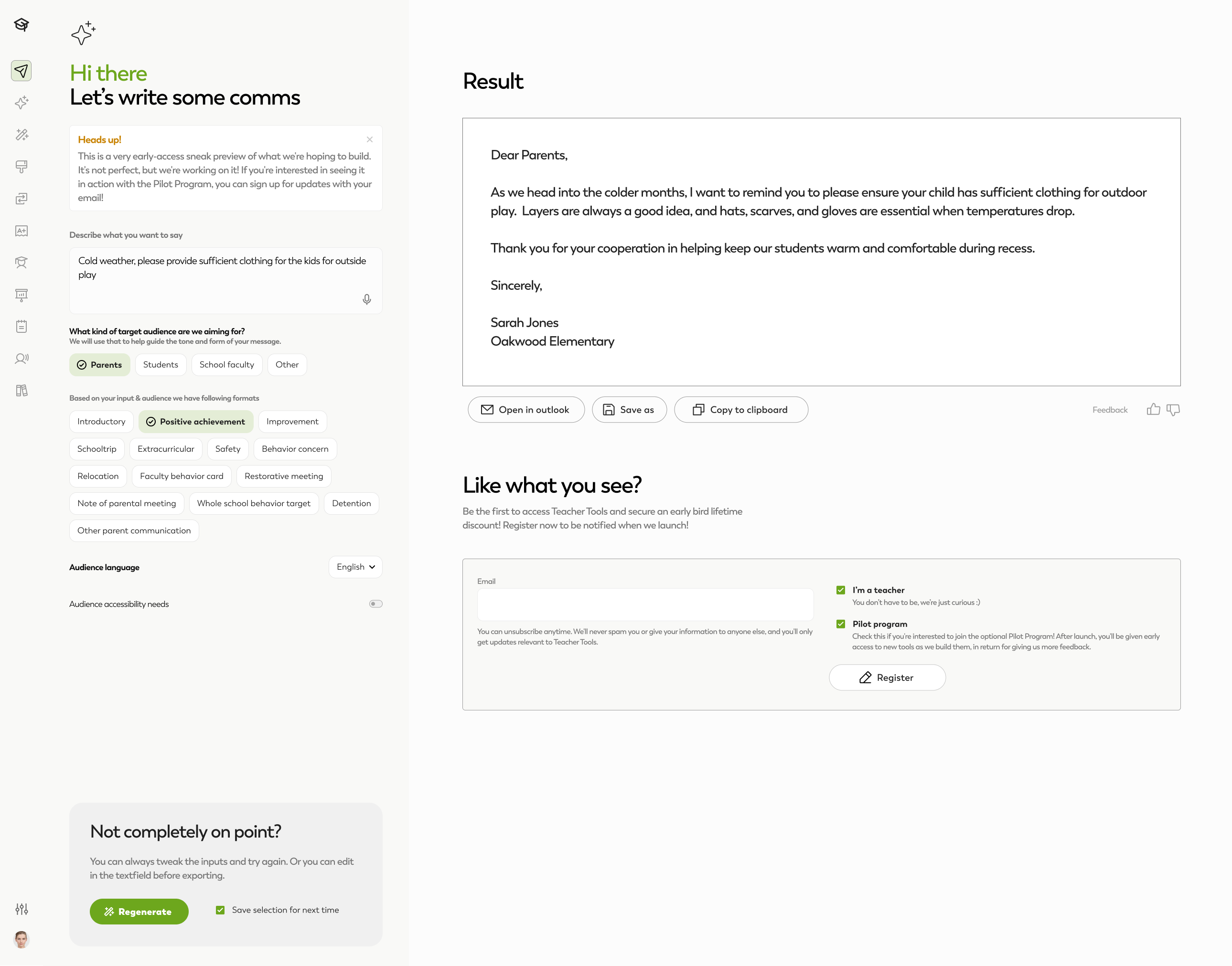
Communication Request Page
A step-by-step process to guide educators in creating communications
- Description: Users provide a brief outline of their message.
- Target Audience: Options include parents, students, school faculty, or others. Based on the selection, tailored templates and formats are suggested.
- Audience Language & Accessibility: Educators can specify the language and address accessibility needs like dyslexia, memory challenges, or language processing disorders.
- Once inputs are set, users can hit Generate to create a first draft.
Editable Outputs
- Generated messages can be:
- Opened directly in Outlook.
- Saved as a document.
- Copied to the clipboard.
- If the result isn't quite right, users can refine their inputs and regenerate the message in real time.
Mobile Views
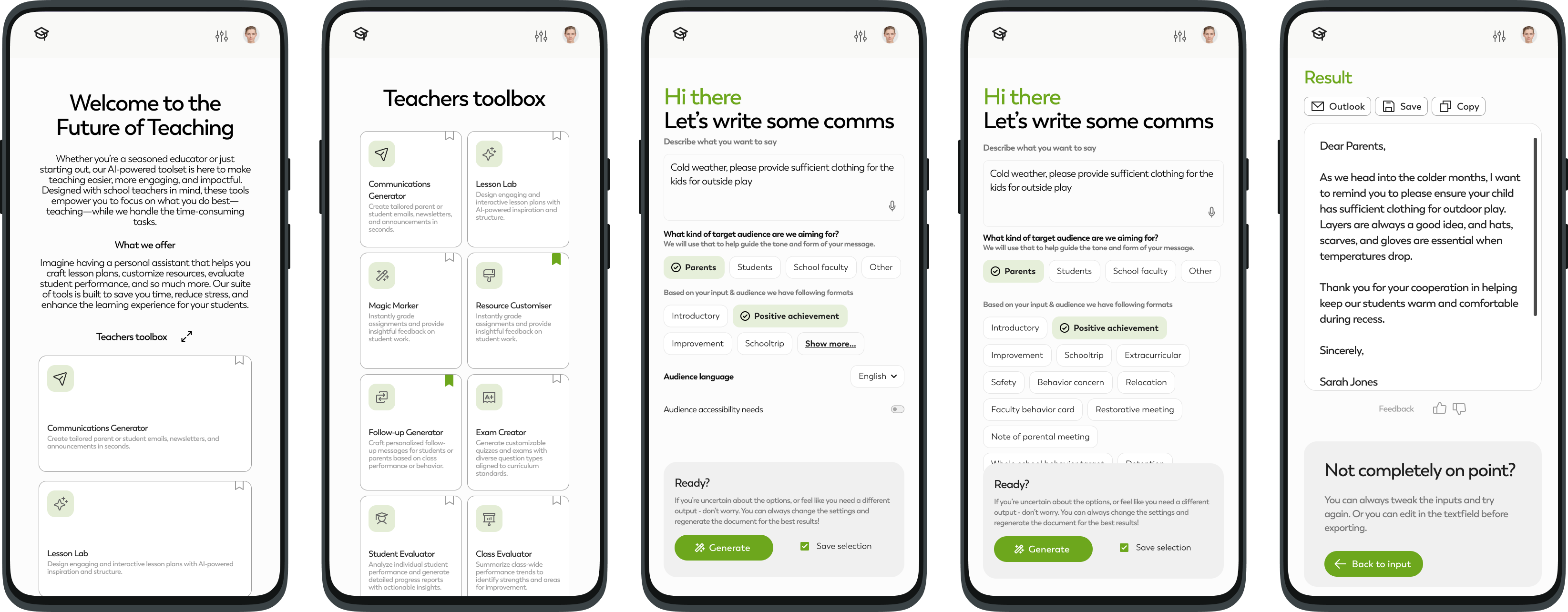
I ensured the design was responsive and optimized for mobile devices, making the platform accessible anytime, anywhere.
Outcome
The final design not only streamlines the communication process but also ensures inclusivity and ease of use, making it a valuable tool for educators.

.svg)